Runs/circle · chain · relay/062
circle · chain · relay · step 062 of 64
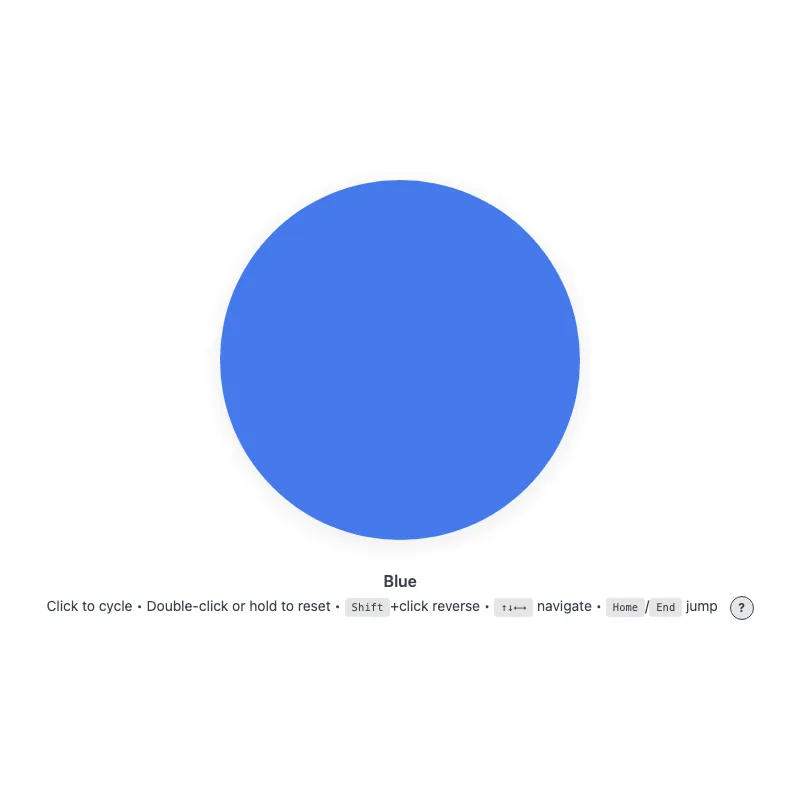
offline render, Chrome 154, light scheme, 2 s of virtual time
runs in a sandboxed frame with no origin; live pages may fetch CDN fonts the offline render did not
<!DOCTYPE html>
<html lang="en">
<head>
  <meta charset="UTF-8">
  <meta name="viewport" content="width=device-width, initial-scale=1.0">
  <meta name="color-scheme" content="light dark">
  <title>Animated Circle - Interactive Demo</title>
  <meta name="description" content="A responsive, accessible circle that changes color when clicked">
  <meta name="theme-color" content="#ffffff" media="(prefers-color-scheme: light)">
  <meta name="theme-color" content="#111111" media="(prefers-color-scheme: dark)">
  <link rel="icon" href="data:,">
  <style>
    *,
    *::before,
    *::after {
      box-sizing: border-box;
      margin: 0;
      padding: 0;
    }
    :root {
      color-scheme: light dark;
      --bg: #fff;
      --text: #374151;
      --fg: #2563eb;
      --shadow: rgba(0, 0, 0, 0.1);
      --kbd-bg: rgba(0, 0, 0, 0.1);
      --drop: drop-shadow(0 4px 12px var(--shadow));
    }
    [data-color="red"] { --fg: #dc2626; }
    /* Dark enough to keep 3:1 against --bg at the resting 0.85 opacity */
    [data-color="green"] { --fg: #15803d; }
    [data-color="amber"] { --fg: #b45309; }
    [data-color="violet"] { --fg: #7c3aed; }
    [data-color="cyan"] { --fg: #0e7490; }
    @media (prefers-color-scheme: dark) {
      :root {
        --bg: #111;
        --text: #d1d5db;
        --fg: #93c5fd;
        --shadow: rgba(0, 0, 0, 0.6);
        --kbd-bg: rgba(255, 255, 255, 0.15);
      }
      [data-color="red"] { --fg: #fca5a5; }
      [data-color="green"] { --fg: #86efac; }
      [data-color="amber"] { --fg: #fcd34d; }
      [data-color="violet"] { --fg: #c4b5fd; }
      [data-color="cyan"] { --fg: #67e8f9; }
    }
    @media (prefers-contrast: more) {
      :root {
        --shadow: rgba(0, 0, 0, 0.9);
        --drop: drop-shadow(0 2px 8px var(--shadow));
      }
      .circle svg {
        opacity: 1;
      }
    }
    @media (forced-colors: active) {
      /* The color is the content here, so keep it; the stroke guarantees the shape */
      .circle svg {
        forced-color-adjust: none;
        color: var(--fg);
      }
      svg circle {
        stroke: CanvasText;
        stroke-width: 2;
      }
    }
    body {
      min-height: 100vh;
      min-height: 100dvh;
      display: grid;
      place-items: center;
      padding: 1rem;
      background: var(--bg);
      color: var(--text);
      font-family: system-ui, -apple-system, sans-serif;
    }
    main {
      width: 100%;
      display: flex;
      flex-direction: column;
      align-items: center;
      text-align: center;
    }
    .circle {
      display: block;
      width: min(360px, 100%, 60vh);
      width: min(360px, 100%, 60dvh);
      aspect-ratio: 1;
      border: 0;
      border-radius: 50%;
      background: none;
      color: var(--fg);
      cursor: pointer;
      touch-action: manipulation;
      -webkit-tap-highlight-color: transparent;
      -webkit-user-select: none;
      user-select: none;
      -webkit-touch-callout: none;
      transition: color 0.4s;
      min-height: 48px;
      min-width: 48px;
    }
    .no-transition,
    .no-transition svg {
      transition: none !important;
    }
    .circle:focus-visible {
      outline: 3px solid currentColor;
      outline-offset: 12px;
    }
    svg {
      display: block;
      width: 100%;
      height: 100%;
      overflow: visible;
      /* Leave hit testing to the button's rounded box, not the svg's square one */
      pointer-events: none;
      opacity: 0.85;
      filter: var(--drop);
      transition: opacity 0.3s;
    }
    .circle:active svg,
    .circle:focus-visible svg {
      opacity: 1;
    }
    @keyframes pulse {
      0% {
        filter: var(--drop) drop-shadow(0 0 16px currentColor);
      }
      100% {
        filter: var(--drop) drop-shadow(0 0 0 transparent);
      }
    }
    @media (hover: hover) {
      .circle:hover svg {
        opacity: 1;
      }
    }
    @media (prefers-reduced-motion: no-preference) {
      svg {
        transition: transform 0.3s cubic-bezier(0.34, 1.56, 0.64, 1), opacity 0.3s;
      }
      .circle:focus-visible svg {
        transform: scale(1.05);
      }
      .circle:active svg {
        transform: scale(0.97);
      }
      .circle.color-changed svg {
        animation: pulse 0.5s ease-out;
      }
    }
    @media (hover: hover) and (prefers-reduced-motion: no-preference) {
      .circle:hover:not(:active) svg {
        transform: scale(1.05);
      }
    }
    .visually-hidden {
      position: absolute;
      width: 1px;
      height: 1px;
      overflow: hidden;
      clip-path: inset(50%);
      white-space: nowrap;
    }
    .status {
      margin-top: 2rem;
      font-weight: 600;
    }
    .hint {
      margin-top: 0.25rem;
      font-size: 0.875rem;
      line-height: 1.75;
      text-wrap: balance;
    }
    .help-button {
      margin-left: 0.5rem;
      display: inline-block;
      width: 1.5rem;
      height: 1.5rem;
      border-radius: 50%;
      background: var(--kbd-bg);
      border: 1px solid var(--text);
      color: var(--text);
      cursor: pointer;
      font: inherit;
      font-size: 0.75rem;
      font-weight: bold;
      line-height: 1;
      text-align: center;
      vertical-align: middle;
      touch-action: manipulation;
      transition: background-color 0.2s, color 0.2s;
    }
    .help-button:focus-visible {
      outline: 2px solid currentColor;
      outline-offset: 2px;
    }
    @media (hover: hover) {
      .help-button:hover {
        background: var(--text);
        color: var(--bg);
      }
    }
    .keys {
      display: none;
    }
    .keys.visible {
      display: inline;
    }
    @media (hover: none) and (pointer: coarse) {
      .hint .keys {
        display: none !important;
      }
      .help-button {
        display: none;
      }
    }
    kbd {
      display: inline-block;
      padding: 0.125rem 0.375rem;
      background: var(--kbd-bg);
      border: 1px solid transparent;
      border-radius: 0.25rem;
      font-family: monospace;
      font-size: 0.75em;
      line-height: 1.2;
    }
  </style>
</head>
<body>
  <main>
    <h1 class="visually-hidden">Animated Circle</h1>
    <button type="button" class="circle no-transition" aria-label="Change circle color" aria-describedby="status hint">
      <svg viewBox="0 0 100 100" aria-hidden="true" focusable="false" xmlns="http://www.w3.org/2000/svg">
        <circle cx="50" cy="50" r="50" fill="currentColor" stroke="none"/>
      </svg>
    </button>
    <p class="status" id="status" role="status" aria-live="polite">Blue</p>
    <p class="hint"><span id="hint"><span class="verb">Click</span> to cycle • <span class="double-verb">Double-click</span> or hold to reset<span class="keys" id="keys"> • <kbd>Shift</kbd>+click reverse • <kbd>↑↓←→</kbd> navigate • <kbd>Home</kbd>/<kbd>End</kbd> jump</span></span> <button type="button" class="help-button" aria-label="Keyboard shortcuts" aria-expanded="false" aria-controls="keys"><span aria-hidden="true">?</span></button></p>
    <noscript><p class="hint">JavaScript is required to change the color.</p></noscript>
  </main>
  <script>
    const config = {
      colors: ['blue', 'red', 'green', 'amber', 'violet', 'cyan'],
      storageKey: 'circle-color',
      hapticDuration: 50,
      longPressDuration: 500,
      longPressTolerance: 10,
      keySteps: { ArrowRight: 1, ArrowDown: 1, ArrowLeft: -1, ArrowUp: -1 },
    };

    const DOM = {
      button: document.querySelector('.circle'),
      status: document.querySelector('.status'),
      helpButton: document.querySelector('.help-button'),
      keyHint: document.querySelector('.keys'),
      verbSpan: document.querySelector('.verb'),
      doubleVerbSpan: document.querySelector('.double-verb'),
    };

    const state = {
      index: 0,
      shiftHeld: false,
      hoverCapable: true,
      reducedMotion: matchMedia('(prefers-reduced-motion: reduce)'),
      hoverQuery: matchMedia('(hover: none)'),
      longPressTimer: null,
      longPressed: false,
      pressX: 0,
      pressY: 0,
      pointerType: '',
    };

    function loadColor() {
      try {
        return localStorage.getItem(config.storageKey);
      } catch {
        return null;
      }
    }

    function saveColor(color) {
      try {
        localStorage.setItem(config.storageKey, color);
      } catch {}
    }

    function applyColor() {
      const color = config.colors[state.index];
      // The first color is the :root default, so it needs no attribute
      if (state.index === 0) delete DOM.button.dataset.color;
      else DOM.button.dataset.color = color;
      DOM.status.textContent = color[0].toUpperCase() + color.slice(1);
    }

    function syncFromStorage(color = loadColor()) {
      const index = config.colors.indexOf(color);
      state.index = index === -1 ? 0 : index;
      applyColor();
    }

    // acknowledge: give feedback even when the color is already the requested one
    function setIndex(next, { haptic = false, acknowledge = false } = {}) {
      const changed = next !== state.index;
      if (!changed && !acknowledge) return;
      if (changed) {
        state.index = next;
        applyColor();
        saveColor(config.colors[state.index]);
      }

      if (haptic && navigator.vibrate) navigator.vibrate(config.hapticDuration);

      if (state.reducedMotion.matches) return;
      DOM.button.classList.remove('color-changed');
      void DOM.button.offsetWidth;
      DOM.button.classList.add('color-changed');
    }

    function changeColor(step) {
      setIndex((state.index + step + config.colors.length) % config.colors.length, { haptic: true });
    }

    function updateDeviceVerbs() {
      state.hoverCapable = !state.hoverQuery.matches;
      DOM.verbSpan.textContent = state.hoverCapable ? 'Click' : 'Tap';
      DOM.doubleVerbSpan.textContent = state.hoverCapable ? 'Double-click' : 'Double-tap';
    }

    function toggleKeyHintVisibility() {
      const expanded = DOM.keyHint.classList.toggle('visible');
      DOM.helpButton.setAttribute('aria-expanded', expanded);
    }

    function syncKeyHint() {
      DOM.keyHint.classList.toggle('visible', state.hoverCapable);
      DOM.helpButton.setAttribute('aria-expanded', state.hoverCapable);
    }

    function handleKeyDown(event) {
      if (event.key === 'Enter' || event.key === ' ') {
        if (!event.repeat) state.shiftHeld = event.shiftKey;
        if (event.key === 'Enter' && event.repeat) event.preventDefault();
        return;
      }

      if (event.altKey || event.ctrlKey || event.metaKey) return;

      if (event.key in config.keySteps) {
        event.preventDefault();
        changeColor(config.keySteps[event.key]);
      } else if (event.key === 'Home') {
        event.preventDefault();
        setIndex(0, { haptic: true });
      } else if (event.key === 'End') {
        event.preventDefault();
        setIndex(config.colors.length - 1, { haptic: true });
      }
    }

    function handleEscape(event) {
      if (event.key !== 'Escape' || event.defaultPrevented) return;
      if (DOM.keyHint.classList.contains('visible')) toggleKeyHintVisibility();
    }

    // Initialize
    syncFromStorage();

    // Wait two frames to ensure layout is complete before enabling transitions
    requestAnimationFrame(() => requestAnimationFrame(() => {
      DOM.button.classList.remove('no-transition');
    }));

    updateDeviceVerbs();
    syncKeyHint();
    // e.g. a tablet gaining or losing a trackpad/keyboard
    state.hoverQuery.addEventListener('change', () => {
      updateDeviceVerbs();
      syncKeyHint();
    });

    // Event listeners
    function clearLongPressTimer() {
      if (state.longPressTimer) clearTimeout(state.longPressTimer);
      state.longPressTimer = null;
    }

    function attachEventListeners() {
      DOM.button.addEventListener('keydown', handleKeyDown);
      DOM.button.addEventListener('keyup', (event) => {
        if (event.key === ' ') state.shiftHeld = event.shiftKey;
      });
      DOM.button.addEventListener('blur', () => {
        state.shiftHeld = false;
        clearLongPressTimer();
      });
      DOM.button.addEventListener('pointerdown', (event) => {
        clearLongPressTimer();
        state.longPressed = false;
        state.pointerType = event.pointerType;
        if (!event.isPrimary || event.button !== 0) return;
        state.pressX = event.clientX;
        state.pressY = event.clientY;
        state.longPressTimer = setTimeout(() => {
          state.longPressTimer = null;
          state.longPressed = true;
          setIndex(0, { haptic: true, acknowledge: true });
        }, config.longPressDuration);
      }, { passive: true });
      // Touch pointers are captured, so a finger sliding away never fires pointerleave
      DOM.button.addEventListener('pointermove', (event) => {
        if (!state.longPressTimer) return;
        const distance = Math.hypot(event.clientX - state.pressX, event.clientY - state.pressY);
        if (distance > config.longPressTolerance) clearLongPressTimer();
      }, { passive: true });
      DOM.button.addEventListener('contextmenu', (event) => {
        if (state.pointerType === 'mouse') {
          clearLongPressTimer();
        } else if (state.longPressTimer || state.longPressed) {
          event.preventDefault();
        }
      });
      DOM.button.addEventListener('pointerup', clearLongPressTimer, { passive: true });
      DOM.button.addEventListener('pointercancel', clearLongPressTimer, { passive: true });
      DOM.button.addEventListener('pointerleave', clearLongPressTimer, { passive: true });
      DOM.button.addEventListener('click', (event) => {
        clearLongPressTimer();
        const afterLongPress = state.longPressed && event.detail !== 0;
        state.longPressed = false;
        const reverse = event.shiftKey || state.shiftHeld;
        state.shiftHeld = false;
        // Only the second click of a run belongs to dblclick; later ones cycle again
        if (afterLongPress || event.detail === 2) return;
        changeColor(reverse ? -1 : 1);
      });
      DOM.button.addEventListener('dblclick', (event) => {
        // Some engines fire dblclick again on every even click of a run
        if (event.detail > 2) return;
        setIndex(0, { haptic: true, acknowledge: true });
      });
      DOM.button.addEventListener('animationend', () => {
        DOM.button.classList.remove('color-changed');
      });

      DOM.helpButton.addEventListener('click', toggleKeyHintVisibility);
      addEventListener('keydown', handleEscape);
    }

    attachEventListeners();

    addEventListener('storage', (event) => {
      // Sync if changed key matches or if entire storage was cleared (key === null)
      if (event.key !== config.storageKey && event.key !== null) return;
      syncFromStorage(event.newValue);
    });
    // Storage events are not delivered while the page sits in the bfcache
    addEventListener('pageshow', (event) => {
      if (event.persisted) syncFromStorage();
    });
  </script>
</body>
</html>
what changed from step 061
Nothing. The file is byte-identical to step 061.
What the model said
I read all of `0.html` and decided not to change it. It's already in good shape, and the edits I could make would just be churn.

It already handles the things I'd normally fix in a demo like this:
- **Accessibility:** it uses a real `<button>`, announces color changes to screen readers, and has visible focus outlines. It also respects the system settings for reduced motion, higher contrast and Windows high-contrast mode, and its colors keep enough contrast in light and dark mode.
- **Input:** arrow keys, Home and End work. It handles mouse and touch separately, including long-press reset and ignoring small finger movement during a press. Shift+click goes backwards, and Enter held down doesn't keep cycling.
- **Saved color:** the color is saved and stays in sync across open tabs, including when you go back to the page with the browser's Back button. If storage is blocked, it just doesn't save instead of breaking.

There are a few real but minor issues. Each fix is a tradeoff, so I'd rather you choose:

1. **Double-click flashes a color.** The first click moves to the next color before the double-click resets to blue, so you see blue → red → blue. The only fix is to wait about 250 ms before acting on a single click, which makes every click feel slower. I'd leave it.
2. **The shortcuts toggle can reset itself.** If you open or close the keyboard shortcuts list and the device then changes input mode (for example, a tablet gets a keyboard attached), your choice is overwritten. The fix is to remember that you toggled it by hand.
3. **Escape doesn't cancel a long press.** Right now it only closes the shortcuts list. This is a one-line addition.

If you had something specific in mind, like new features, a different look or smaller code, tell me and I'll do that. Otherwise I can make fixes 2 and 3.