Runs/circle · chain · relay/011
circle · chain · relay · step 011 of 64
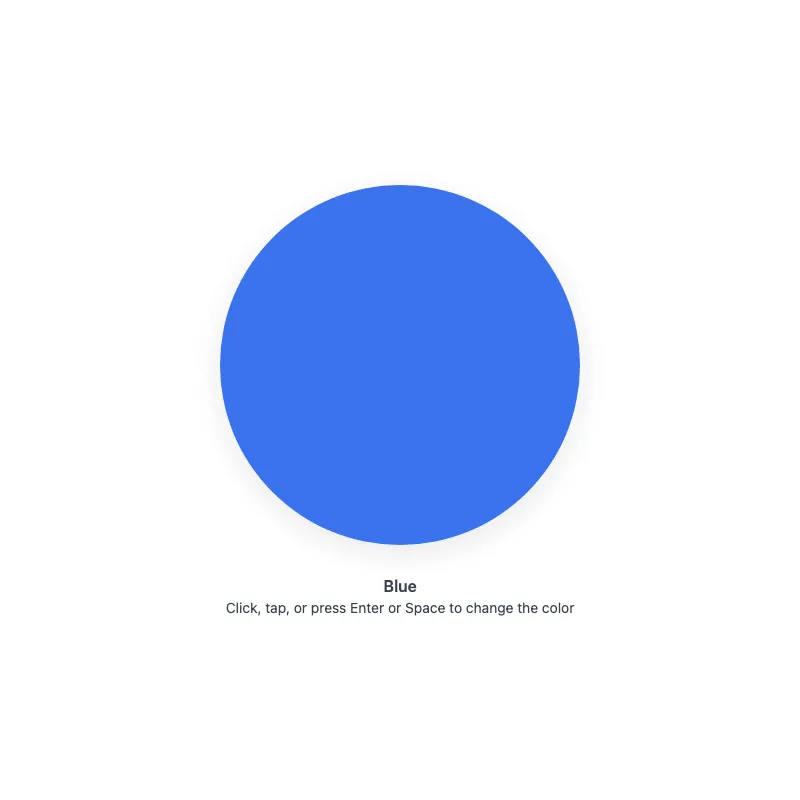
offline render, Chrome 154, light scheme, 2 s of virtual time
runs in a sandboxed frame with no origin; live pages may fetch CDN fonts the offline render did not
<!DOCTYPE html>
<html lang="en">
<head>
  <meta charset="UTF-8">
  <meta name="viewport" content="width=device-width, initial-scale=1.0">
  <meta name="color-scheme" content="light dark">
  <title>Animated Circle - Interactive Demo</title>
  <meta name="description" content="A responsive, accessible circle that changes color when clicked">
  <style>
    *,
    *::before,
    *::after {
      box-sizing: border-box;
      margin: 0;
      padding: 0;
    }
    :root {
      color-scheme: light dark;
      --bg: #fff;
      --text: #374151;
      --fg: #2563eb;
      --shadow: rgba(0, 0, 0, 0.1);
    }
    [data-color="red"] { --fg: #dc2626; }
    [data-color="green"] { --fg: #16a34a; }
    [data-color="amber"] { --fg: #d97706; }
    [data-color="violet"] { --fg: #7c3aed; }
    [data-color="cyan"] { --fg: #0891b2; }
    @media (prefers-color-scheme: dark) {
      :root {
        --bg: #111;
        --text: #d1d5db;
        --fg: #93c5fd;
        --shadow: rgba(0, 0, 0, 0.6);
      }
      [data-color="red"] { --fg: #fca5a5; }
      [data-color="green"] { --fg: #86efac; }
      [data-color="amber"] { --fg: #fcd34d; }
      [data-color="violet"] { --fg: #c4b5fd; }
      [data-color="cyan"] { --fg: #67e8f9; }
    }
    @media (prefers-contrast: more) {
      :root {
        --shadow: rgba(0, 0, 0, 0.9);
      }
    }
    @media (forced-colors: active) {
      svg circle {
        stroke: CanvasText;
        stroke-width: 2;
      }
    }
    body {
      min-height: 100dvh;
      display: grid;
      place-items: center;
      padding: 1rem;
      background: var(--bg);
      color: var(--text);
      font-family: system-ui, -apple-system, sans-serif;
    }
    main {
      width: 100%;
      display: flex;
      flex-direction: column;
      align-items: center;
      text-align: center;
    }
    button {
      display: block;
      width: min(360px, 100%);
      aspect-ratio: 1;
      border: 0;
      border-radius: 50%;
      background: none;
      color: var(--fg);
      cursor: pointer;
      touch-action: manipulation;
      -webkit-tap-highlight-color: transparent;
      transition: color 0.4s ease;
    }
    button:focus-visible {
      outline: 3px solid var(--fg);
      outline-offset: 8px;
    }
    svg {
      display: block;
      width: 100%;
      height: 100%;
      overflow: visible;
      opacity: 0.9;
      filter: drop-shadow(0 8px 16px var(--shadow));
      transition: opacity 0.3s ease;
    }
    button:active svg,
    button:focus-visible svg {
      opacity: 1;
    }
    @media (hover: hover) {
      button:hover svg {
        opacity: 1;
      }
    }
    @media (prefers-reduced-motion: no-preference) {
      svg {
        transition:
          transform 0.3s cubic-bezier(0.34, 1.56, 0.64, 1),
          opacity 0.3s ease;
      }
      button:focus-visible svg {
        transform: scale(1.05);
      }
      button:active svg {
        transform: scale(0.97);
      }
    }
    @media (hover: hover) and (prefers-reduced-motion: no-preference) {
      button:hover:not(:active) svg {
        transform: scale(1.05);
      }
    }
    .status {
      margin-top: 2rem;
      font-weight: 600;
    }
    .hint {
      margin-top: 0.25rem;
      font-size: 0.875rem;
    }
  </style>
</head>
<body>
  <main>
    <button type="button" aria-label="Change circle color" aria-describedby="status hint">
      <svg viewBox="0 0 100 100" aria-hidden="true" focusable="false" xmlns="http://www.w3.org/2000/svg">
        <circle cx="50" cy="50" r="50" fill="currentColor"/>
      </svg>
    </button>
    <p class="status" id="status" role="status">Blue</p>
    <p class="hint" id="hint">Click, tap, or press Enter or Space to change the color</p>
  </main>
  <script>
    const button = document.querySelector('button');
    const status = document.querySelector('.status');
    const colors = ['blue', 'red', 'green', 'amber', 'violet', 'cyan'];
    const storageKey = 'circle-color';

    const savedColor = localStorage.getItem(storageKey);
    let index = Math.max(colors.indexOf(savedColor), 0);

    function applyColor() {
      const color = colors[index];
      if (color === 'blue') {
        delete button.dataset.color;
      } else {
        button.dataset.color = color;
      }
      status.textContent = color[0].toUpperCase() + color.slice(1);
      localStorage.setItem(storageKey, color);
    }

    applyColor();

    button.addEventListener('click', () => {
      index = (index + 1) % colors.length;
      applyColor();
    });
  </script>
</body>
</html>
what changed from step 010
+24 / -4 lines
} }+ @media (forced-colors: active) {+ svg circle {+ stroke: CanvasText;+ stroke-width: 2;+ }+ } body { min-height: 100dvh;⋯ line 144 const status = document.querySelector('.status'); const colors = ['blue', 'red', 'green', 'amber', 'violet', 'cyan'];- let index = 0;+ const storageKey = 'circle-color'; - button.addEventListener('click', () => {- index = (index + 1) % colors.length;+ const savedColor = localStorage.getItem(storageKey);+ let index = Math.max(colors.indexOf(savedColor), 0);+ + function applyColor() { const color = colors[index];- button.dataset.color = color;+ if (color === 'blue') {+ delete button.dataset.color;+ } else {+ button.dataset.color = color;+ } status.textContent = color[0].toUpperCase() + color.slice(1);+ localStorage.setItem(storageKey, color);+ }+ + applyColor();+ + button.addEventListener('click', () => {+ index = (index + 1) % colors.length;+ applyColor(); }); </script>
What the model said
Made two improvements to `0.html`:

1. **Forced-colors (Windows High Contrast) support** – added a stroke to the SVG circle so it remains visible instead of disappearing when `currentColor` gets overridden in forced-colors mode.
2. **Persisted color choice** – the selected color now saves to `localStorage` and restores on page reload, so refreshing doesn't reset the demo back to blue.